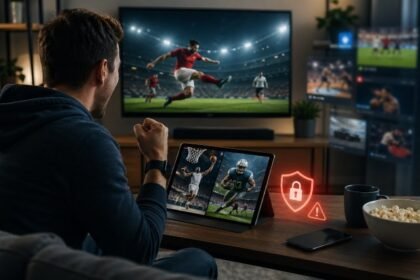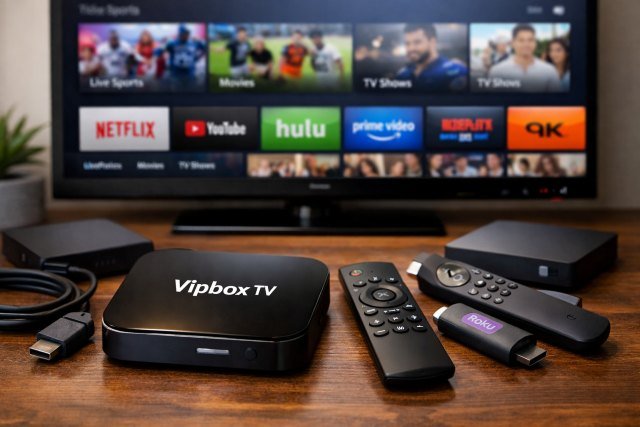
If you’ve searched for Vipbox tv Box, you’re probably trying to figure out one simple thing: is this a real streaming device, what does it actually do, and is it safe (or even legal) to use? You’re not alone — “VIPBox” is a name commonly associated with free sports streams, and “TV box” often refers to Android-based streaming devices that plug into your TV.
- What Is a Vipbox tv Box?
- How a Vipbox tv Box Works
- Common Features You’ll See in a Vipbox tv Box
- Is a Vipbox tv Box Legal?
- The Biggest Risks People Don’t Expect
- Vipbox tv Box vs. Legit Streaming Devices: What’s the Real Difference?
- Best Alternatives to Vipbox tv Box (Safer, More Reliable)
- Quick Comparison: Alternatives at a Glance
- Actionable Tips If You Already Own a Vipbox tv Box
- FAQs
- Conclusion: Should You Buy a Vipbox tv Box?
Here’s the important context: in most cases, Vipbox tv Box isn’t an official branded product with a single manufacturer. It’s usually a phrase people use to describe an Android TV box (or a “fully loaded” streaming stick) configured to access VIPBox-style streaming links — often alongside other apps. That distinction matters, because it changes what you should expect in terms of reliability, security, and legal risk.
How a Vipbox tv Box typically works, what features it tends to include, the real risks you should know about, and the best legal alternatives that give you a similar “watch on TV” experience — without gambling with your privacy or device security.
What Is a Vipbox tv Box?
A Vipbox tv Box generally refers to a small streaming device — most commonly an Android-based TV box — that connects to your television via HDMI and streams content over the internet. People use the term when the device is marketed (or configured) to access VIPBox-type sports streams.
Think of it like this:
- The “TV Box” part = the hardware (a small streaming computer)
- The “VIPBox” part = the streaming sources people try to reach (often through websites or apps)
Because VIPBox is widely discussed as a free sports streaming directory/aggregator rather than a licensed broadcaster, the “Vipbox tv Box” phrase often shows up in conversations about unofficial streaming — along with warnings about takedowns, pop-up ads, and malware.
How a Vipbox tv Box Works
Most Vipbox tv Box setups follow the same basic pipeline:
- Hardware connects to your TV
The box plugs into HDMI and draws power via USB or a wall adapter. - It runs a TV-friendly operating system
Usually Android TV, Google TV, or “Android-based” firmware that looks like TV menus. - Apps or a browser provide access to streams
Some people open streaming websites in a browser. Others use apps that embed web players or point to external links. - Streams are delivered from third-party sources
This is where reliability and risk come in: unofficial streams tend to be unstable, frequently removed, or replaced. They can also carry aggressive ads or malicious scripts.
A big misconception is thinking the box “contains” channels. In reality, most of these devices are just a gateway — your viewing experience depends on the apps installed and the sources they connect to.
Common Features You’ll See in a Vipbox tv Box
Because “Vipbox tv Box” is often a generic label, features vary a lot. Still, many devices in this category advertise similar specs and selling points.
1) Android apps + sideloading support
Many boxes promote the ability to install apps beyond the official TV app store (“sideloading”). That can be convenient for niche apps — but it also increases exposure to risky or tampered APKs.
2) 4K playback claims
It’s common to see “4K” on the box. The catch: 4K support depends on the chip, DRM certification, and the streaming app. A device may technically output 4K but still be limited to lower quality in major apps due to licensing/DRM requirements.
3) Voice remotes and “TV launcher” interfaces
Some boxes copy the look of Google TV or Android TV. Others have custom launchers. The better the software support, the smoother updates and security patches tend to be.
4) Extra ports (USB, microSD, Ethernet)
Compared to a stick, boxes often include Ethernet and USB — handy for stable streaming and connecting storage.
5) “Fully loaded” marketing
Be cautious with this phrase. It often implies pre-installed apps for streaming that may not be legitimate, and it’s frequently associated with higher security risk and scammy sellers.
Is a Vipbox tv Box Legal?
This depends on what you watch and how you access it, but here’s the practical rule:
- The hardware itself is usually legal (it’s just a streaming device).
- Using it to access unlicensed streams can cross legal lines in many regions, especially if the streams distribute copyrighted sports broadcasts without permission.
Multiple industry and enforcement bodies have documented illegal IPTV ecosystems and how they operate, including the role of devices sold or configured for unauthorized access.
If you want the “watch sports on TV” convenience without legal uncertainty, your safest path is a mainstream streaming device + legitimate sports services.
The Biggest Risks People Don’t Expect
Malware and “botnet” infections aren’t hypothetical
Cheap, uncertified Android streaming devices have been tied to real-world malware campaigns. The FBI’s Internet Crime Complaint Center has warned about compromised IoT devices — including TV streaming devices — being used for criminal activity (e.g., proxying traffic through home networks).
That doesn’t mean every Android box is infected — but it does mean unknown brands and sketchy firmware deserve extra caution.
Fraud risk is rising with “jailbroken” or modified sticks
Reports in major outlets describe cases where modified streaming sticks marketed for “free TV” have been used to harvest credentials or facilitate fraud, with significant losses reported by victims.
Unstable streams and constant domain changes
Sites and link aggregators in this space are frequently taken down or moved, leading to endless “mirror” sites, clones, and lookalikes — some of which exist mainly to push ads or malicious downloads.
Privacy exposure
Unlicensed streaming ecosystems often monetize through aggressive tracking and ad networks. Even if you never download anything, persistent pop-ups and redirects can still expose your device to risk.
Vipbox tv Box vs. Legit Streaming Devices: What’s the Real Difference?
Here’s the key difference most buyers feel within a week:
Legit streaming devices are supported ecosystems.
They receive updates, security patches, and consistent app compatibility.
Generic “TV boxes” can be a lottery.
Some work fine for basic playback; others slow down, break after updates, or arrive with outdated firmware.
Review-driven outlets that test mainstream streaming devices (Roku, Fire TV, Apple TV, Google TV) generally emphasize reliability, performance, and update support as the core reasons to choose them.
Best Alternatives to Vipbox tv Box (Safer, More Reliable)
If what you really want is: “I want sports and entertainment on my TV with minimal hassle”, these options are usually better long-term.
1) Roku (best for simplicity)
Roku devices are popular because they’re straightforward: clean interface, broad app support, and easy setup. Major reviewers frequently recommend Roku models as strong picks for most people.
Best for: families, non-technical users, “just works” streaming.
2) Amazon Fire TV (best if you’re in the Amazon ecosystem)
Fire TV devices integrate tightly with Prime Video and Alexa. They’re widely available and often discounted.
Best for: Prime Video users, Alexa households.
3) Apple TV 4K (best performance + privacy-friendly feel)
Apple TV 4K tends to be the “premium” pick — fast UI, strong app ecosystem, and a smoother experience if you already use iPhone/iPad.
Best for: Apple households, people who value speed and polish.
4) Google TV / Android TV certified devices (best for flexibility — done the right way)
If you like Android-style flexibility, choose certified options (Google TV Streamer-type devices or reputable brands). Buying-guide style outlets regularly highlight certified Google TV devices for app compatibility and a more modern recommendation-driven interface.
Best for: YouTube-heavy viewers, Google Home users, Android phone users.
5) Sports-first approach: combine a legit device + legit sports services
This is the closest “replacement experience” for what people chase with Vipbox tv Box. The exact best service depends on your country and leagues, but the formula stays the same: pick a stable device, then subscribe only to the sports packages you actually watch.
Quick Comparison: Alternatives at a Glance
| Option | Best for | Why it beats a typical Vipbox tv Box |
|---|---|---|
| Roku | Simple streaming | Easy UI + strong support |
| Fire TV | Prime/Alexa users | Deep Amazon integration |
| Apple TV 4K | Top performance | Fastest feel + premium experience |
| Certified Google TV | Android flexibility | Better update path vs generic boxes |
Actionable Tips If You Already Own a Vipbox tv Box
If you already bought one, you can still reduce risk without getting overly technical:
- Avoid logging into sensitive accounts (email, banking) on the device.
- Keep it on a separate Wi-Fi network if your router supports guest networks.
- Prefer official app stores over random APK downloads.
- Update firmware only from the manufacturer (and be skeptical if the “brand” has no real support site).
- If the device behaves oddly (random ads, overheating, unexplained network activity), stop using it and consider replacing it with a certified streamer.
These precautions align with the general pattern in official warnings: compromised home devices can be abused for criminal activity through your network.
FAQs
What is a Vipbox tv Box?
A Vipbox tv Box typically refers to an Android streaming box that people use to access VIPBox-style sports streams on a television. It’s usually not an official single-brand product, but a generic device setup.
Is Vipbox tv Box safe?
It can be risky. Uncertified or unknown-brand streaming devices have been linked to malware campaigns, and unofficial streaming sources often involve aggressive ads and redirects. Official warnings highlight how compromised streaming devices can be abused on home networks.
Does a Vipbox tv Box give you “free sports channels”?
The box itself doesn’t legally “include” channels. Most “free sports” claims rely on third-party streams that may be unlicensed, unstable, or removed frequently.
What’s the best legal alternative to Vipbox tv Box?
For most people, a mainstream streaming device like Roku, Fire TV, Apple TV 4K, or a certified Google TV device is the best base. Reviewers consistently recommend these for reliability, updates, and app support.
Conclusion: Should You Buy a Vipbox tv Box?
If your goal is cheap, easy sports streaming on a television, Vipbox tv Box might sound tempting — but in practice, it often comes with downsides: unstable streams, security risks, and legal uncertainty. Official advisories and investigative reporting increasingly highlight how low-cost or modified streaming devices can be abused for malware or fraud.
The better long-term move is usually simple: choose a reputable streaming device (Roku, Fire TV, Apple TV, or certified Google TV) and build your setup around legitimate apps and services. You’ll get smoother performance, fewer headaches, and a safer home network — while still enjoying the same big-screen convenience people chase when they search for Vipbox tv Box.