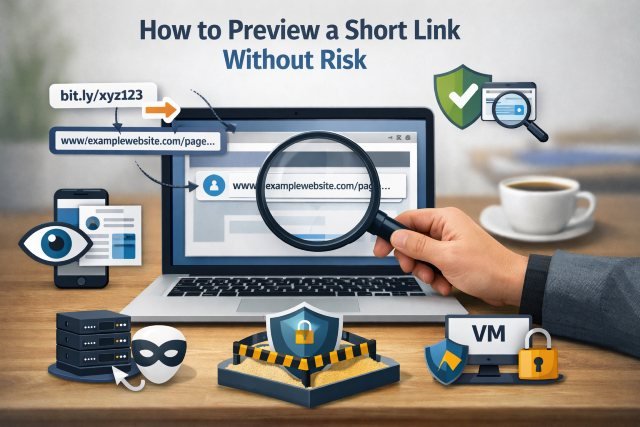
If you’ve ever hovered over a link and thought, “Where does this actually go?”, you’re not being paranoid — you’re being practical. Short links are useful for sharing, but they also hide the destination, which makes them a common vehicle for phishing, scams, and malware delivery.
This guide focuses on Shorturl.at/4dpz5 as a real-world example keyword and walks you through reliable ways to preview a short link without risk. You’ll learn how to reveal the final URL, assess reputation, and inspect what a page would do — without handing attackers the one thing they want most: a live click from a real user.
Cybercrime is still largely powered by human behavior. Verizon’s 2024 DBIR reports that the human element was a component of 68% of breaches. That’s why learning to safely preview shortened URLs is not a “nice-to-have”; it’s a core skill for anyone who uses email, messaging apps, or social media.
You’ll also see why it matters financially. IBM’s Cost of a Data Breach Report 2024 puts the global average cost of a data breach at USD 4.88 million. Even when you’re “just browsing,” one unsafe click can become an expensive chain reaction.
Why Short Links Like Shorturl.at/4dpz5 Can Be Risky
Short links exist to compress long URLs and make tracking easier. That convenience comes with a tradeoff: you lose transparency.
A shortened URL can redirect you to a safe site, or it can route you through multiple hops — tracking domains, compromised sites, or lookalike login pages — before landing somewhere dangerous. Attackers love this because the link’s visible text doesn’t match the final destination, and many people click first and evaluate later.
Google runs Safe Browsing specifically because web threats are so common at scale, noting it helps protect over five billion devices every day by warning users about dangerous sites. That number alone should tell you how frequently malicious pages show up in normal browsing.
How to Preview Shorturl.at/4dpz5 Without Clicking It
The safest approach is a “layered” preview: first expand the link, then reputation-check it, then inspect behavior in a controlled environment.
Step 1: Expand the Short Link to Reveal the Final URL
Before you do anything else, you want the destination. This is the single most important step for previewing Shorturl.at/4dpz5 without risk.
A URL expander (also called an “unshortener”) resolves where a shortened link redirects. Many tools show the redirect chain, which is useful because attackers often hide behind multiple hops.
You can use a reputable expander tool such as Unshortlink, which supports a wide range of shortener services and redirect types.
If your website has a related tool page, this is a great spot for an internal link like: /tools/url-expander (internal link placeholder).
Step 2: Check Reputation With Google Safe Browsing and Browser Protections
Once you have the final URL, check whether it’s known for phishing, malware, or scams.
Google Safe Browsing is one of the most widely used signals in the ecosystem, powering warnings across multiple products and the web.
Also keep your browser’s protections enabled. On Windows and in Microsoft Edge, Microsoft Defender SmartScreen helps protect against phishing and malware websites and suspicious downloads. Turning these off to “avoid warnings” is like removing a smoke alarm because it’s loud.
Step 3: Scan the URL With VirusTotal (Multi-Engine Signal)
If the link looks suspicious, or it’s asking you to log in, pay money, download something, or enable notifications, you should scan it.
VirusTotal inspects URLs using 70+ scanners and URL/domain blocklisting services, plus additional signal extraction. That doesn’t mean it’s perfect, but it’s a powerful way to quickly see if multiple security vendors flag the domain.
Practical tip: Don’t stop at the red/green summary. Open the details and look for signals like “phishing,” “credential harvesting,” newly registered domains, or suspicious redirectors.
If your site has educational content, an internal link like /blog/virustotal-url-check fits naturally here (internal link placeholder).
Step 4: Use urlscan.io to Preview Page Behavior (Without Using Your Browser)
Sometimes a URL isn’t widely flagged yet. That’s where behavior inspection helps.
urlscan.io is designed to scan and analyze potentially malicious websites by visiting the URL in an automated process and recording what happens — such as domains contacted, resources loaded, and page activity. This is especially helpful when you suspect the page may load hidden scripts, trackers, or redirect you after a short delay.
This technique is useful for previewing Shorturl.at/4dpz5 destinations because many malicious pages behave differently depending on whether they detect a real user, a specific device, or a fresh IP.
Step 5: Preview the Link Safely on Your Own Device (Advanced)
If you’re more technical, you can “peek” at a link without opening it in a full browser session.
A safer workflow is to use a network-isolated environment such as a virtual machine or a disposable browser profile, and disable autofill/password managers for that session. The goal is to prevent credential leakage if the page is a convincing lookalike.
If you work in an organization, consider browser isolation or remote browsing solutions for handling unknown links. Even a strong human process benefits from a technical safety net — especially since the Verizon DBIR continues to show how frequently human actions factor into breaches.
What to Look For After You Expand a Short Link
After you unshorten a Shorturl.at/4dpz5 link, don’t just glance at the final URL — evaluate it like an investigator.
Start with the domain. Look for misspellings, extra hyphens, odd subdomains, or a domain that doesn’t match the brand being claimed in the message. For example, a “bank alert” going to a random site with a long string of characters is a classic red flag.
Next, check the redirect chain. If the link bounces through multiple unrelated domains, tracking parameters, or “free hosting” pages, treat it with extra caution.
Finally, consider intent. Ask: “What is this page trying to make me do?” Pages that push urgency (“act now”), demand logins, or insist you download something are higher risk.
Common Scenarios: Previewing Shorturl.at/4dpz5 in Real Life
Scenario 1: “Document Shared With You” Message
You get a message saying a document is shared, and the button is a shortened link.
Safe preview: Expand the link, verify the destination domain is the official service, and if it’s a login page, don’t use the link at all — open the official site directly and navigate from there. This single habit neutralizes many credential-harvesting attempts.
Scenario 2: “Delivery Problem” or “Missed Package” SMS
Smishing often uses short links because SMS displays limited characters.
Safe preview: Expand the link, run it through Safe Browsing and VirusTotal, then check the domain age and reputation. If it’s a real delivery service, you should be able to find the same tracking portal by searching the official company site instead of trusting the text.
Scenario 3: “Security Alert” Email
Attackers impersonate major brands because it works. Recent reporting on phishing brand impersonation continues to show major tech brands frequently targeted, which matters because those accounts unlock everything else.
Safe preview: Assume it’s hostile until proven otherwise. Expand, scan, and verify independently. If the email claims your account is locked, go to the official site or app directly and check notifications there.
FAQs
What is Shorturl.at/4dpz5?
Shorturl.at/4dpz5 is a shortened URL format that redirects to another destination page. The visible short link does not tell you where it will finally take you, which is why previewing it safely matters.
How can I preview a Shorturl.at/4dpz5 link without clicking?
Expand the link with a URL expander first, then check reputation signals (Google Safe Browsing and browser warnings), scan it with VirusTotal, and inspect behavior with urlscan.io before opening it in a normal browser. Google Safe Browsing is designed to warn users about dangerous sites at massive scale.
Is VirusTotal safe to use for checking short links?
VirusTotal is widely used for security checks and inspects URLs using many scanners and blocklists, which can help you assess risk quickly. The results are signals, not absolute proof, so combine them with other checks.
Can a short link be safe?
Yes. Many legitimate companies use short links for campaigns and sharing. The risk comes from the lack of transparency, not the concept itself. Expanding and verifying the destination is the safe way to handle any shortened URL.
What should I do if I already clicked a suspicious short link?
Close the tab immediately, don’t enter credentials, and run a malware scan if a download started. If you typed a password, change it right away and enable multi-factor authentication. If this happened on a work device, report it to your security team promptly.
Conclusion: Use Shorturl.at/4dpz5 as Your “Don’t Click Blindly” Reminder
Short links aren’t automatically dangerous, but they remove the context your brain relies on to judge trust quickly. That’s exactly why attackers use them — and why you should treat every unknown short link as something to verify first.
The safest habit is simple: when you see Shorturl.at/4dpz5, don’t click blindly. Expand it, reputation-check it, scan it, and preview behavior in a controlled way. With the human element involved in 68% of breaches, the difference between “fine” and “compromised” is often just one careful minute.