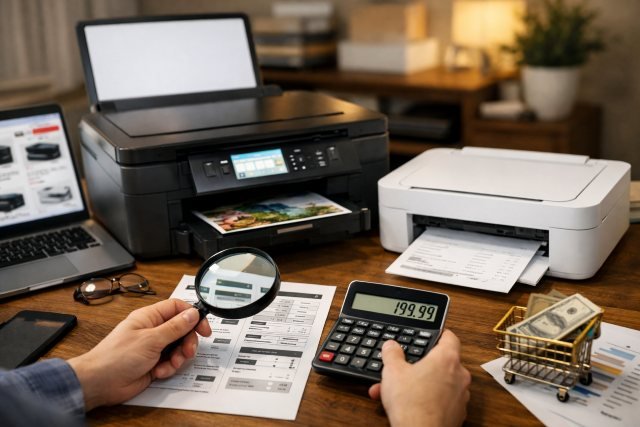
Buying a Printer sounds simple until you start comparing inkjet vs. laser, cheap models vs. high-yield machines, and low upfront prices vs. long-term supply costs. That is where many shoppers get stuck. A printer that looks affordable on day one can become expensive after a few months if the ink runs out fast, the paper tray is too small, or the machine does not match the way you actually print. Recent buying guidance from major manufacturers and testing organizations consistently points to the same idea: the best choice depends less on sticker price and more on print volume, print type, features, and total cost of ownership.
- Why the Cheapest Printer Is Not Always the Best Printer
- Printer Buying Guide: Start With How You Actually Print
- Inkjet vs. Laser Printer: Which One Gives Better Value?
- Do Not Ignore Running Costs
- Features That Are Worth Paying For
- Energy Efficiency and the Hidden Cost of Waste
- Best Printer Scenarios for Different Buyers
- How to Compare Printer Prices the Smart Way
- Common Questions About Buying a Printer
- Conclusion
The right approach is to think beyond “What is the cheapest printer?” and ask, “What printer gives me the best value for how I work?” That shift alone can save money, reduce frustration, and help you avoid the classic mistake of buying a machine built for a completely different kind of user. Official buying guides from HP, Brother, Canon, Epson, and ENERGY STAR all emphasize matching the device to your actual use case, not just the sale price.
Why the Cheapest Printer Is Not Always the Best Printer
A low-priced printer can be appealing, especially for students, home users, or small offices trying to stay on budget. But purchase price is only one part of the equation. Brother’s current guidance notes that inkjet printers are often less expensive to buy, while laser printers usually cost more upfront but can have a lower total cost of ownership over time. That is a major reason many budget buyers end up regretting “cheap” printers that need frequent cartridge replacements.
This is where long-term thinking matters. A family printing homework a few times a week has very different needs from a home office printing invoices, contracts, and shipping labels every day. HP’s printer buying guide also highlights that buyers should compare printer type, paper handling, energy efficiency, and ink or toner considerations rather than focusing on price alone.
In practical terms, the right-price printer is not the lowest-price printer. It is the one that delivers the best balance of output quality, running cost, reliability, and useful features for your workload. Consumer Reports’ current 2026 buying guide says it makes sense to understand your choices before diving into recommendations, which is a good reminder that a smart purchase starts with fit, not impulse.
Printer Buying Guide: Start With How You Actually Print
The easiest way to choose the right printer is to be honest about what you print most often. If you mainly print school documents, forms, and occasional color pages, an entry-level inkjet or refill-tank model may be enough. If you print large batches of text-heavy documents, a monochrome laser printer can be the more economical move. If you scan, copy, and fax often, an all-in-one model is usually worth the extra cost.
A lot of buyers underestimate volume. They assume, “I only print sometimes,” but those “sometimes” jobs add up when you include return labels, school projects, ID copies, tax forms, and office documents. Brother’s guidance specifically points out that laser printers are strong for high volumes and faster output, while inkjets fit lower-volume home and small-office needs well.
You should also think about what type of pages matter most. For photos and graphic-heavy printing, inkjet printers remain a strong choice because of their image quality and color handling. For dense text, repetitive business documents, and speed, laser printers tend to shine. That distinction remains one of the most important factors in any printer buying decision.
Inkjet vs. Laser Printer: Which One Gives Better Value?
An inkjet printer is often the best fit for households, students, and creative users who want color, photos, and a lower entry price. Brother describes inkjet models as especially useful for image-heavy documents and home-oriented use. That makes sense for people who print presentations, invitations, worksheets, or family photos.
A laser printer, on the other hand, is usually better for frequent document printing, sharper text output, and higher print volume. Brother’s guidance says laser printers typically deliver faster results at higher volumes and often include more business-focused features such as optional trays, larger supply yields, and stronger office functionality.
So which is the better value? For light use, an inkjet can absolutely be the smart buy. For steady use, especially black-and-white documents, laser often wins on efficiency. The answer is not universal. It depends on whether your main pain point is upfront budget, color quality, speed, or recurring supply costs.
Do Not Ignore Running Costs
This is the part many shoppers skip, and it is often the most expensive mistake. Running cost includes replacement ink or toner, page yield, power use, and even paper waste. The printer itself may be cheap, but supplies determine what you really spend over the life of the machine.
Page yield matters because it tells you roughly how many pages a cartridge or bottle can produce under standardized testing. ISO maintains standards for determining ink cartridge yield, which is why reputable brands often reference ISO page-yield methods in their specifications. That standardization helps buyers compare printers more fairly instead of relying only on marketing language.
If you print often, refill-tank printers deserve a serious look. Epson states that savings and cost-per-page calculations for EcoTank models are based on replacement bottle cost and the cost of enough standard cartridges to achieve comparable page yields, and several Epson pages highlight potential savings with bottle-based systems for higher-volume users. As always, actual savings vary with how and what you print, but the bigger point stands: tank-style printers can be compelling when print volume is high.
That is why the best buying question is not “How much does this printer cost today?” It is “How much will this printer cost me in six months?” If you print regularly, that question changes everything.
Features That Are Worth Paying For
Some printer features sound optional until you use them once and never want to go back. One of the biggest is an automatic document feeder, or ADF. Canon explains that ADF technology helps users scan, copy, or fax multi-page documents more quickly and easily, which is especially useful for students, remote workers, and small offices.
Another high-value feature is automatic duplex printing, which means printing on both sides of the paper. ENERGY STAR notes that certified imaging equipment includes automatic duplexing requirements for certain categories, and Canon highlights duplex capability as a productivity booster for document-heavy workflows. Duplex printing can cut paper use and make large jobs less annoying.
Paper capacity matters too. If you print often, a larger tray or expandable capacity can save real time. Canon’s examples of office-oriented all-in-one printers show how higher paper capacity and duplex scanning become meaningful once printing moves beyond occasional household use.
Wireless setup and app support are also worth considering. A modern printer should work smoothly with phones, tablets, and laptops, especially in homes where multiple people print from different devices. That is not a luxury feature anymore. It is part of basic convenience. HP’s current buying guide explicitly includes common use scenarios and feature-focused selection as part of the decision process.
Energy Efficiency and the Hidden Cost of Waste
A printer’s price tag does not capture everything. Power use, wasted pages, and unnecessary printing can quietly increase costs over time. ENERGY STAR says certified printers, copiers, and scanners can save up to 35 percent versus conventional equipment, and if all imaging equipment in the United States were ENERGY STAR certified, the annual electricity savings could exceed $32 million while preventing 596 million pounds of greenhouse gas emissions.
ENERGY STAR also notes that the typical office worker uses roughly 10,000 sheets of copy paper per year and that 45 percent ends up in the recycling bin by the end of the day. On top of that, it estimates that 10 to 35 percent of total pages are left at the printer and never picked up. Those numbers show why smart printer buying is not just about hardware. It is also about workflow, settings, and habits.
That is one reason duplex printing, sleep mode, and secure print features deserve more attention than they usually get. They are not flashy, but they help reduce the ongoing cost of using the printer.
Best Printer Scenarios for Different Buyers
If you are a student or casual home user, the best printer is usually a compact wireless inkjet or a modest all-in-one that handles occasional documents, forms, and color jobs without taking over your desk. The key is low upfront cost and easy setup.
If you work from home, the best option is often an all-in-one printer with scanning, copying, an ADF, and duplex printing. These features make everyday admin tasks smoother and reduce the friction of handling contracts, IDs, tax records, or multi-page paperwork. Canon’s ADF guidance is especially relevant here because the productivity gain is real.
If you run a small business or print high volumes, a monochrome or color laser printer may deliver better value. Brother’s guidance is clear that laser printers are built for faster, heavier workloads and often come with features more suited to busy office environments.
If you print constantly and worry about cartridge costs, a tank printer may be the smartest buy. Epson’s current messaging around refillable systems is aimed directly at buyers who want lower ongoing supply costs and higher page capacity.
How to Compare Printer Prices the Smart Way
When comparing models, look at four things together: purchase price, replacement supply cost, page yield, and features you will actually use. A printer that costs slightly more but includes duplex printing, better wireless support, and higher-yield supplies can be the cheaper machine in real life.
It also helps to check whether a printer is certified for energy efficiency and whether the manufacturer clearly explains print volume, capacity, or intended usage. Vague specs are often a sign that a model is being sold on price rather than value.
Reliability should be part of the equation too. Consumer Reports published printer reliability guidance in July 2025 breaking down which brands perform better across major categories, which reinforces the idea that the cheapest model is not always the least risky purchase. A printer that fails early or becomes frustrating to use is never a bargain.
Common Questions About Buying a Printer
What is the best printer for home use?
For most homes, the best printer is an all-in-one inkjet or tank printer with wireless printing and scanning. That setup covers schoolwork, forms, color pages, and household documents without overpaying for business-grade capacity.
Is a laser printer cheaper than an inkjet printer?
Upfront, usually no. Over time, often yes for frequent document printing. Brother’s guidance says inkjets are typically cheaper to buy, while laser models can have a lower total cost of ownership.
Is a tank printer worth it?
For people who print regularly, it can be. Epson’s official EcoTank pages emphasize cost-per-page and replacement bottle economics, which is exactly why these models appeal to higher-volume users.
What features matter most in a printer?
For many buyers, the most useful features are wireless printing, scanning, automatic duplex printing, and an automatic document feeder. Those features save time, reduce paper waste, and make the printer useful for more than occasional one-page jobs.
Conclusion
Finding the best Printer at the right price is really about buying for the way you live and work. The smartest buyers compare total cost, page yield, volume, and quality instead of chasing the lowest sticker price. An inkjet can be perfect for light color use, a laser printer can be a better fit for high-volume documents, and a tank printer can be a strong long-term value play when running costs matter most. When you also factor in ADF, duplex printing, wireless support, and energy efficiency, the “best printer” becomes much easier to spot.
For internal linking, this article pairs well with pages such as “Ink vs. Toner: What’s the Real Difference?”, “Best Home Office Setup for Productivity,” and “How Wireless Printing Works Across Devices.” For external credibility, the strongest supporting references are ENERGY STAR, ISO page-yield standards, and current buying guidance from major printer manufacturers and testing organizations.