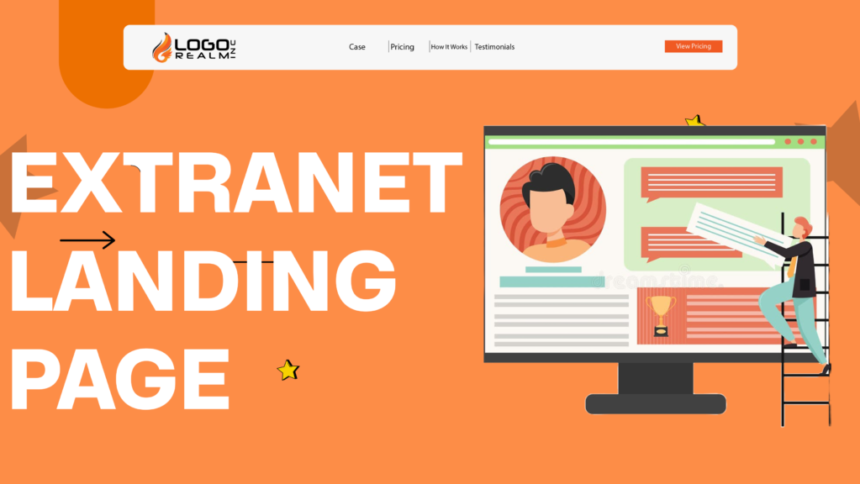
An Extranet Landing Page is much more than a login screen. It serves as the secure gateway between an organization and its external users, including customers, vendors, suppliers, distributors, contractors, and business partners. When designed effectively, it protects sensitive information while delivering a smooth, professional experience that encourages engagement and productivity.
- What Is an Extranet Landing Page?
- Why an Extranet Landing Page Matters
- How an Extranet Landing Page Works
- Common Use Cases for Extranet Landing Pages
- Essential Features of a Secure Extranet Landing Page
- Designing a High-Converting Extranet Landing Page
- Keep the Design Simple and Focused
- User Experience (UX) Best Practices
- Security Best Practices for an Extranet Landing Page
- SEO Best Practices for an Extranet Landing Page
- Common Mistakes to Avoid
- Real-World Examples and Use Cases
- Measuring the Performance of an Extranet Landing Page
- Tools for Monitoring and Analytics
- Future Trends in Extranet Landing Pages
- Frequently Asked Questions
- Conclusion
As organizations continue to digitize their operations, extranets have become an essential part of modern business. Whether you’re managing client portals, supplier dashboards, partner programs, or secure document sharing, a well-designed Extranet Landing Page creates the first impression users have of your secure platform. It must balance security, usability, branding, and performance without compromising any of these elements.
In this comprehensive guide, you’ll learn how an extranet landing page works, why it matters, the key features every business should include, and practical strategies to improve both security and conversions.
What Is an Extranet Landing Page?
An Extranet Landing Page is the first webpage users encounter before accessing a company’s private extranet. Unlike a public website, an extranet is designed specifically for authorized external users rather than employees or the general public.
The page typically acts as a secure authentication portal where users verify their identity before accessing confidential resources. Depending on the organization, these resources may include:
- Customer account dashboards
- Supplier procurement systems
- Partner sales portals
- Project collaboration platforms
- Secure document repositories
- Training materials
- Service request centers
- Contract management systems
Think of it as the digital front door to your organization’s protected ecosystem.
Instead of simply asking for a username and password, modern extranets often provide a complete user experience with announcements, personalized content, support options, password recovery, and multi-factor authentication.
Why an Extranet Landing Page Matters
The landing page is responsible for much more than authentication. It influences user trust, operational efficiency, cybersecurity, and even business relationships.
A confusing or outdated login page can frustrate users before they even access the platform. In contrast, a clean, professional, and secure interface reassures visitors that their information is protected.
Organizations also benefit internally. A well-optimized extranet reduces support requests, improves partner collaboration, speeds up document sharing, and streamlines communication across multiple organizations.
According to the Cybersecurity & Infrastructure Security Agency (CISA), implementing strong authentication and secure access controls significantly reduces the risk of unauthorized access and credential-based attacks. Organizations should combine secure login practices with continuous monitoring and user education to strengthen their defenses.
Similarly, the National Institute of Standards and Technology (NIST) recommends modern authentication practices such as multi-factor authentication (MFA), strong password policies, and risk-based access management for systems handling sensitive information.
How an Extranet Landing Page Works
Although every organization customizes its implementation, the overall process follows a similar workflow.
Step 1: User Visits the Landing Page
The visitor navigates to a dedicated secure URL provided by the organization.
The page often includes:
- Company branding
- Secure login form
- Support information
- Password reset links
- Privacy notices
- Security indicators
Step 2: Identity Verification
The system verifies the user’s credentials against an identity management platform such as:
- Microsoft Entra ID
- Active Directory Federation Services (AD FS)
- Okta
- Ping Identity
- Auth0
- Google Workspace Identity
Many organizations also require a second authentication factor such as:
- Authentication apps
- Hardware security keys
- SMS verification
- Email verification codes
- Biometric authentication
Step 3: Authorization
After successful authentication, the system checks permissions.
Not every external user receives identical access.
For example:
- Suppliers may access procurement documents.
- Customers may only view their own orders.
- Contractors may access project files.
- Business partners may receive sales resources.
This role-based access control minimizes unnecessary exposure of sensitive information.
Step 4: Secure Dashboard Access
Once authorization is complete, users are redirected to their personalized dashboard where they can perform tasks securely.
Common Use Cases for Extranet Landing Pages
Many industries rely on secure extranets to collaborate with external stakeholders without exposing internal systems.
Customer Self-Service Portals
Banks, insurance providers, software companies, healthcare providers, and telecommunications firms often provide secure customer portals where users can:
- View account information
- Download invoices
- Submit support tickets
- Update personal details
- Track service requests
A secure landing page ensures only authorized customers can access their information.
Supplier Portals
Manufacturers and retailers frequently operate supplier extranets.
Suppliers use these systems to:
- Submit invoices
- Monitor purchase orders
- Update inventory
- Review shipping schedules
- Upload compliance documentation
This reduces manual communication while improving operational efficiency.
Business Partner Networks
Technology companies frequently build partner portals containing:
- Sales enablement materials
- Marketing resources
- Product documentation
- Certification programs
- Technical support
Partners authenticate through the extranet landing page before accessing confidential business assets.
Project Collaboration
Construction firms, consulting agencies, engineering companies, and architecture firms commonly use extranets to coordinate projects involving multiple organizations.
Authorized users can securely share:
- Blueprints
- Contracts
- Reports
- Project timelines
- Meeting notes
- Change requests
Healthcare Collaboration
Healthcare providers increasingly rely on secure extranets for collaboration between hospitals, laboratories, insurance companies, and specialists.
Given the sensitivity of patient information, strong authentication and encrypted communication are essential components of these portals.
Essential Features of a Secure Extranet Landing Page
An effective Extranet Landing Page combines strong cybersecurity with an intuitive user experience. The following features help create a trustworthy and efficient gateway for authorized users.
Strong Authentication
Passwords alone are no longer sufficient to protect sensitive business data. Modern landing pages should support multi-factor authentication (MFA), passwordless authentication where appropriate, and secure identity verification methods.
Authentication should be convenient without sacrificing security. Options such as authenticator apps or hardware security keys provide stronger protection than SMS-based verification while remaining user-friendly.
SSL/TLS Encryption
Every extranet landing page should use HTTPS with a valid SSL/TLS certificate. Encryption protects credentials and sensitive information while it travels between the user’s browser and the organization’s servers.
Modern browsers also display visual indicators for secure connections, helping reassure users that they are accessing a legitimate portal.
Role-Based Access Control
Not every user requires the same permissions. Role-based access control (RBAC) ensures individuals only see the resources relevant to their responsibilities.
For example, a supplier should not access confidential customer records, while a distributor should only view information related to their assigned region. Proper access segmentation reduces security risks and simplifies user management.
Clear Branding and Trust Signals
Users are more likely to trust a familiar, professionally branded login experience. Consistent use of company logos, colors, domain names, and messaging helps reassure visitors that they are signing in to an authentic platform rather than a phishing site.
Displaying concise privacy notices, security statements, and support contact information further strengthens credibility.
Password Recovery and Account Assistance
Even well-designed systems should anticipate common user issues. A secure password recovery process, account unlock options, and easy access to support reduce frustration without weakening security.
Self-service recovery workflows can also lower help desk workloads while maintaining compliance with organizational security policies.
Responsive Design
External users often access portals from laptops, tablets, and smartphones. A responsive Extranet Landing Page ensures forms, buttons, and navigation remain usable across different screen sizes and devices.
Fast-loading pages with accessible layouts contribute to a better user experience and encourage continued use of the platform.
Session Management and Automatic Timeouts
Secure session handling is another critical feature. Automatically ending inactive sessions, detecting suspicious activity, and requiring re-authentication after periods of inactivity help prevent unauthorized access, especially on shared or public devices.
Designing a High-Converting Extranet Landing Page
Security is the foundation of every Extranet Landing Page, but usability determines whether people can access the resources they need efficiently. A secure portal that frustrates users often leads to increased support requests, abandoned sessions, and reduced productivity.
The most successful extranet landing pages combine robust security with intuitive design, ensuring users can sign in quickly while maintaining confidence that their information is protected.
Keep the Design Simple and Focused
An extranet landing page has one primary objective: helping authorized users access the platform securely.
Avoid unnecessary animations, promotional banners, or excessive navigation menus that distract users from completing the login process.
A clean layout should include:
- Company logo
- Welcome message
- Login form
- Password recovery option
- Help or support link
- Security notice
Everything on the page should support the user’s journey rather than compete for attention.
Prioritize Visual Hierarchy
Visitors should immediately recognize where to enter their credentials.
Use:
- Clear headings
- Readable typography
- Adequate spacing
- High contrast
- Prominent login button
Reducing visual clutter minimizes cognitive load and helps users complete authentication faster.
Optimize Loading Speed
Slow-loading login pages create poor first impressions and may even discourage users from accessing the portal.
Google research consistently shows that users expect pages to load quickly, especially on mobile devices.
Performance improvements include:
- Compressing images
- Minimizing JavaScript
- Browser caching
- Content Delivery Networks (CDNs)
- Optimized fonts
- Efficient CSS delivery
Fast performance is especially important for international partner networks where users connect from multiple geographic regions.
Build Trust Immediately
Users entering confidential credentials want reassurance that they’re accessing a legitimate system.
Helpful trust signals include:
- HTTPS padlock
- Organization branding
- Security certifications
- Privacy policy links
- Support contact information
- Copyright information
- Terms of use
Avoid displaying unnecessary third-party advertisements or unrelated content that could reduce confidence.
User Experience (UX) Best Practices
Excellent user experience improves both security and productivity.
Rather than making security feel like an obstacle, thoughtful UX design allows users to authenticate naturally while following secure practices.
Reduce Login Friction
Every additional step increases the chance users will encounter problems.
Only request information that’s actually necessary.
For most organizations, the login process requires:
- Username or email
- Password
- MFA verification (when enabled)
Avoid asking users to repeatedly enter information they’ve already provided.
Offer Helpful Error Messages
Generic messages like:
“Login Failed”
provide little guidance.
Instead, display informative but secure messages such as:
“The username or password is incorrect.”
or
“Your account requires multi-factor authentication.”
Never reveal whether a specific email address exists within the system, as doing so may assist attackers.
Mobile Optimization
Many suppliers, contractors, and remote workers access extranets using smartphones.
Responsive design should ensure:
- Large touch-friendly buttons
- Readable fonts
- Proper keyboard support
- Fast page rendering
- Simple navigation
A mobile-friendly experience also supports hybrid and remote work environments.
Accessibility Matters
An inclusive Extranet Landing Page serves users with diverse accessibility needs.
Follow the Web Content Accessibility Guidelines (WCAG) by implementing:
- Keyboard navigation
- Screen reader compatibility
- Descriptive labels
- Color contrast compliance
- Alternative text for images
- Visible focus indicators
Improving accessibility benefits all users—not only those with disabilities.
Security Best Practices for an Extranet Landing Page
Cyber threats continue to evolve, making security an ongoing priority rather than a one-time project.
Organizations should regularly evaluate their authentication systems and update security measures based on emerging risks.
Enable Multi-Factor Authentication (MFA)
MFA is one of the most effective defenses against credential theft.
Even if attackers obtain a password, they typically cannot access the account without the second authentication factor.
According to Microsoft’s security research, enabling MFA can prevent the vast majority of password-based account compromise attempts.
Implement Single Sign-On (SSO)
Many organizations integrate their Extranet Landing Page with Single Sign-On solutions.
Benefits include:
- Fewer passwords
- Faster login
- Centralized identity management
- Improved user experience
- Better security monitoring
Employees, suppliers, and partners can authenticate using trusted identity providers without managing multiple credentials.
Protect Against Brute Force Attacks
Automated login attacks remain common.
Recommended protections include:
- Rate limiting
- Temporary account lockouts
- CAPTCHA after repeated failures
- IP reputation analysis
- Device fingerprinting
These measures significantly reduce automated credential attacks.
Encrypt Sensitive Data
Encryption should extend beyond HTTPS.
Organizations should encrypt:
- Stored passwords
- Authentication tokens
- Personal information
- Financial records
- Business documents
Industry-standard encryption algorithms help protect sensitive information even if systems are compromised.
Monitor Login Activity
Security teams should monitor authentication events for unusual behavior.
Examples include:
- Multiple failed logins
- Impossible travel detection
- Logins from unfamiliar countries
- Suspicious devices
- Unusual access times
Modern Security Information and Event Management (SIEM) platforms can automatically detect these anomalies and trigger alerts.
SEO Best Practices for an Extranet Landing Page
Although many extranet pages are private, public-facing landing pages explaining the portal or providing login access can still benefit from SEO.
Optimizing these pages helps users quickly find the correct login portal while reducing confusion caused by unofficial or phishing websites.
Create Clear Metadata
Your page should include:
- Keyword-rich title
- Concise meta description
- Structured headings
- Descriptive URLs
This helps search engines understand the page while encouraging users to click legitimate results.
Use Schema Markup
Structured data improves search engine understanding.
Depending on the page, consider implementing:
- Organization Schema
- WebPage Schema
- Breadcrumb Schema
- FAQ Schema
- SearchAction Schema
Schema can improve visibility in search results and support rich snippets where appropriate.
Optimize Images
Even login pages often include company branding or illustrations.
Best practices include:
- Compressed images
- Modern formats like WebP
- Descriptive filenames
- Keyword-focused alt text
- Lazy loading where appropriate
Example image alt text:
“Secure Extranet Landing Page login portal for business partners”
Improve Core Web Vitals
Google evaluates websites using metrics such as:
- Largest Contentful Paint (LCP)
- Interaction to Next Paint (INP)
- Cumulative Layout Shift (CLS)
Improving these metrics enhances both user experience and search visibility for public-facing pages.
Common Mistakes to Avoid
Many organizations invest heavily in cybersecurity while overlooking usability—or vice versa. The best Extranet Landing Page balances both.
One common mistake is creating an overly complicated login process. Requiring unnecessary fields, confusing instructions, or multiple redirects can frustrate legitimate users and increase support requests.
Another frequent issue is neglecting mobile optimization. With many partners and remote workers accessing portals from smartphones or tablets, a poor mobile experience can reduce productivity and damage user confidence.
Weak branding is another risk. A login page that lacks consistent logos, colors, and domain identity may appear suspicious, increasing the likelihood that users mistake it for a phishing attempt.
Organizations should also avoid outdated security practices such as relying solely on passwords. Implementing multi-factor authentication, monitoring login activity, and enforcing strong encryption provide a significantly higher level of protection.
Finally, failing to test the landing page regularly can lead to broken links, inaccessible forms, or compatibility issues after software updates. Routine audits and usability testing help maintain both security and performance over time.
Real-World Examples and Use Cases
Microsoft Partner Center
Microsoft provides partners with a secure portal that integrates Microsoft Entra ID, role-based permissions, and multi-factor authentication. The landing experience is streamlined, allowing authorized users to access licensing, support, and business resources efficiently.
Salesforce Experience Cloud
Organizations using Salesforce Experience Cloud can build branded partner and customer portals with personalized dashboards, secure authentication, and responsive design. These portals demonstrate how a polished landing page can improve both user engagement and operational efficiency.
Government and Healthcare Portals
Many government agencies and healthcare providers use secure extranet landing pages to grant authorized access to confidential records, compliance documentation, and collaboration tools. These environments prioritize encryption, strict access controls, and comprehensive audit logging to protect sensitive information.
These examples illustrate that regardless of industry, a successful extranet landing page combines strong security, intuitive design, and a user-focused experience to support secure collaboration and build trust.
Measuring the Performance of an Extranet Landing Page
Creating an Extranet Landing Page is only the beginning. Continuous monitoring helps organizations identify usability issues, improve security, and increase user satisfaction over time. The most successful portals evolve based on real user behavior rather than assumptions.
Below are the most valuable performance indicators to monitor.
Login Success Rate
The login success rate measures how many users successfully authenticate on their first attempt.
A consistently low success rate may indicate:
- Confusing login instructions
- Password-related issues
- Poor user interface design
- Authentication system errors
- Browser compatibility problems
Improving the login experience can significantly reduce support requests.
Failed Authentication Attempts
Tracking failed login attempts helps identify both usability problems and potential cyberattacks.
Look for unusual patterns such as:
- Multiple failed logins from one IP address
- Repeated attempts on a single account
- Credential stuffing attacks
- Brute-force attacks
- Logins from unexpected locations
Security monitoring tools should generate alerts when suspicious behavior exceeds predefined thresholds.
Average Login Time
Users expect secure access without unnecessary delays.
Measure the time between loading the landing page and reaching the dashboard.
Long authentication times often result from:
- Slow servers
- Excessive redirects
- Poorly optimized scripts
- Inefficient identity providers
- Network latency
Reducing delays improves both productivity and user satisfaction.
Bounce Rate
If visitors leave the Extranet Landing Page without logging in, investigate the cause.
Possible reasons include:
- Broken links
- Confusing navigation
- Poor mobile experience
- Outdated branding
- Slow loading speeds
- Incorrect URLs
Analytics platforms can reveal where users abandon the process.
Support Ticket Volume
Help desk requests provide valuable insights into recurring issues.
Common support requests include:
- Password resets
- MFA enrollment
- Account lockouts
- Browser compatibility
- Permission issues
Reducing these issues improves operational efficiency and lowers support costs.
Tools for Monitoring and Analytics
Organizations should combine analytics with security monitoring to gain a complete picture of landing page performance.
Popular solutions include:
- Google Analytics 4 (GA4) for user behavior
- Microsoft Clarity for session recordings and heatmaps
- Azure Monitor for Microsoft environments
- Splunk for security event monitoring
- Datadog for infrastructure monitoring
- Cloudflare Analytics for traffic and security insights
Using multiple tools enables both user experience improvements and proactive threat detection.
Future Trends in Extranet Landing Pages
Technology continues to reshape secure digital collaboration. The next generation of Extranet Landing Page experiences will focus on stronger identity verification, automation, and personalized user journeys.
Passwordless Authentication
Passwords remain one of the weakest links in cybersecurity.
Organizations are increasingly adopting passwordless authentication using:
- Passkeys
- Biometric authentication
- Hardware security keys
- Device-based authentication
These methods reduce phishing risks while simplifying the login experience.
AI-Powered Threat Detection
Artificial intelligence is becoming an important part of identity security.
Modern authentication systems can detect:
- Unusual login behavior
- Impossible travel
- Device anomalies
- Credential theft
- Suspicious automation
AI allows organizations to respond to threats in real time without disrupting legitimate users.
Zero Trust Security
Traditional network security assumed users inside the corporate network were trustworthy.
Today’s Zero Trust model assumes that every access request must be verified regardless of location.
A Zero Trust Extranet Landing Page continuously evaluates:
- User identity
- Device health
- Login location
- Risk score
- Authentication history
This approach significantly improves protection against modern cyber threats.
Personalized User Experiences
Future extranets will increasingly tailor content based on user roles and preferences.
For example:
- Suppliers may immediately see purchase orders.
- Customers may view recent support tickets.
- Partners may access sales resources.
- Contractors may receive project updates.
Personalization improves efficiency while maintaining strict access controls.
Integration with Cloud Identity Platforms
Cloud-based identity services continue to gain popularity.
Modern extranets often integrate with:
- Microsoft Entra ID
- Okta
- Google Identity
- Auth0
- Ping Identity
These platforms simplify authentication while improving scalability and security.
Frequently Asked Questions
What is an Extranet Landing Page?
An Extranet Landing Page is a secure login portal that allows authorized external users, such as customers, suppliers, vendors, contractors, and business partners, to access private company resources and services.
Why is an Extranet Landing Page important?
It protects confidential business information while providing a centralized, secure, and user-friendly access point for external stakeholders. A well-designed landing page also improves trust, productivity, and operational efficiency.
How is an extranet different from an intranet?
An intranet is designed exclusively for internal employees, while an extranet extends controlled access to authorized external users such as clients, vendors, and partners without exposing internal systems.
Should every Extranet Landing Page use multi-factor authentication?
Yes. Multi-factor authentication (MFA) is considered a cybersecurity best practice because it adds an extra layer of protection beyond passwords, making unauthorized access much more difficult.
Can an Extranet Landing Page be optimized for SEO?
Yes, if the landing page is publicly accessible. Optimizing metadata, headings, structured data, page speed, and image alt text can improve visibility while ensuring users find the legitimate portal.
What are the biggest security risks?
Common risks include:
- Phishing attacks
- Weak passwords
- Credential stuffing
- Brute-force attacks
- Session hijacking
- Misconfigured permissions
- Outdated software
Regular security audits and continuous monitoring help reduce these risks.
Which industries benefit most from extranets?
Industries that frequently use extranets include:
- Healthcare
- Banking
- Manufacturing
- Retail
- Logistics
- Construction
- Government
- Information Technology
- Professional Services
How often should an Extranet Landing Page be updated?
Organizations should review their landing page regularly for security updates, usability improvements, accessibility compliance, and compatibility with evolving authentication technologies. Quarterly reviews and annual security audits are common best practices.
Conclusion
An Extranet Landing Page is far more than a simple login screen. It serves as the secure entry point to valuable business resources, enabling organizations to collaborate confidently with customers, suppliers, contractors, and partners while safeguarding sensitive information.
A successful landing page balances robust security measures with an intuitive user experience. Features such as multi-factor authentication, role-based access control, responsive design, encryption, and accessibility create a trusted environment that supports both productivity and compliance.
As cybersecurity threats continue to evolve, organizations should embrace modern identity solutions, Zero Trust principles, and continuous performance monitoring. By investing in a secure, well-designed Extranet Landing Page, businesses can strengthen relationships with external stakeholders, reduce operational risks, and provide a seamless digital experience that supports long-term growth.